Intervention Made Simple: Using Prodigy for Tier 2 and Tier 3 Support
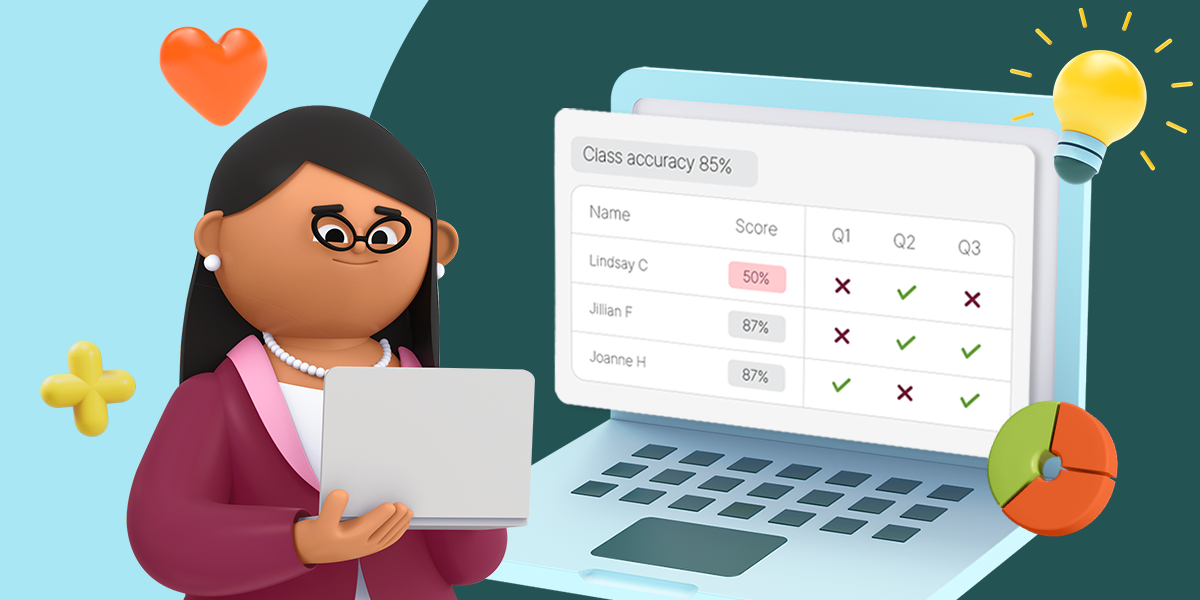
By the six-week mark, most teachers already have what they need to know who's struggling. A stack of quizzes, a curriculum progress report, maybe a nagging feeling about the same three or four students in every class. What's usually missing isn't the data. It's the time to turn that data into a plan.
Building out tier 2 and tier 3 support can sound like a big lift: new groups, new materials, a schedule that somehow has to stretch further than it already does. It doesn't have to be that complicated. With the reporting tools already built into Prodigy, teachers can turn what they already know about their students into a simple, repeatable intervention routine, without creating a new system from scratch.
This guide walks through how to use Prodigy's progress reports to spot skill gaps, group students by need, and assign targeted practice that fits into the time teachers already have.
Why the first few weeks of data matter
Math proficiency nationally is a mixed picture. In 2024, 39% of U.S. 4th graders scored proficient or above in math, up from 35% in 2022, but 24% still scored below NAEP Basic (The Nation's Report Card). And the students who are furthest behind aren't catching up on their own: 4th graders in the bottom 25th percentile made no measurable math progress between 2022 and 2024, even as the national average rose (Education Week).
That's exactly why the early weeks of a term matter so much. Once a teacher has a few rounds of practice, quizzes, or progress report data in hand, it's possible to see which skills need reinforcing well before a bigger gap sets in. Prodigy's reports make that first look easier, showing what students know, where they need help, and who's making progress, all in one place.
What tier 2 and tier 3 support actually looks like
Tier 2 and tier 3 don't mean an entirely separate curriculum. In the standard MTSS model, roughly 10–15% of students typically need tier 2 (targeted) support, and 1–5% need tier 3 (intensive, individualized) support (Mote). That's a handful of students per class, not a full overhaul.
In practice, tier 2 usually means small-group, skill-specific practice on top of regular instruction. Tier 3 means something more individualized, closer attention, more repetition, a narrower focus on one or two foundational skills. Either way, the starting point is the same: look at the data already available, find the pattern, and respond to it.
A simple 4-step workflow with Prodigy
1. Review student progress
Start with what's already there. Prodigy's reports and classroom tools show teachers what students know, where they need help, and who's making progress, broken down by standards-aligned skill. Instead of guessing which students need support, teachers can see exactly where the gaps are.
"I use Prodigy as an individualized intervention for my students. I love that I can assign different topics to specific students."
Melissa Corney, Teacher
2. Group students by similar needs
Once the gaps are visible, group students who are struggling with the same skill, rather than the same general subject. Research backs this up: students in math groups of two or three often make greater gains than those in one-on-one tutoring or larger groups of four-plus (NAESP Principal Magazine). Small, focused groups also tend to be easier to manage inside an already-full class period.
3. Assign targeted practice
With groups formed, Prodigy can assign focused practice on the exact skills each group needs, from core math concepts to Math Facts for students who need to build fluency with number facts before they can tackle grade-level problems. Because Prodigy adapts to each student as they play, practice keeps adjusting in real time rather than staying static.
4. Monitor progress and adjust
Intervention isn't a one-and-done setup. Checking back in on the same reports used in step one shows whether a group is closing its skill gap or needs a different approach. Groups can shift as skills are mastered, keeping the whole system responsive instead of static.
Where intervention fits into the day
The workflow above doesn't require a dedicated new block of time. Prodigy can fit wherever intervention already happens:
- Designated intervention blocks or small-group pull-outs
- Centres or stations during math workshop
- Independent practice time
- Review time built into the regular math block
- Extra skill practice for students who need it, without singling anyone out in front of the class
That last point matters more than it might seem. As one teacher shared:
"In Prodigy, my low-performing students can compete with my high-performing students without tension or negative consequences, which causes them to perform better."
Krystal Gibson, Teacher
Because Prodigy feels like a game to students, targeted practice can happen without a struggling student feeling singled out, whether they're working through it at a station, during independent time, or as part of a small group.
Prodigy is more than a game
It's easy to think of Prodigy as just an engaging way to practice math, and it is that. But behind the game is a set of teacher tools built specifically to support instruction, including the reporting and grouping workflow above.
When teachers integrate Prodigy into classroom instruction, student performance improves across key math standards.*
"Students are more confident because of the extra practice they receive with Prodigy. My students typically score higher on math benchmarks because I'm able to differentiate instruction using the Prodigy reports!"
Kimberly Martin, Teacher
Common Questions About Tier 2 and Tier 3 Math Intervention
Does Prodigy replace an intervention program?
No. Prodigy is designed to support existing tier 2 and tier 3 workflows, not to replace strong tier 1 instruction or a school's intervention framework. It's a tool for targeted, standards-aligned practice inside whatever structure a school already uses.
Is Prodigy free?
Yes. Prodigy is free for teachers and students, with standards-aligned math practice for grades 1–8.
Do I need training to set this up?
No special setup is required. Reports are available as soon as students start playing, and grouping students or assigning specific skills takes just a few clicks.
Getting started
Intervention doesn't have to mean building something new. It can mean looking at the data already sitting in a progress report, grouping a handful of students by need, and letting Prodigy help carry the targeted practice from there.
Start for free and turn this week's progress reports into next week's support plan.
*Among multiple studies commissioned by Prodigy Education. Individual results may vary, results are not guaranteed. Studies may be viewed here.